
Patient check-in for dental and medical clinics
Check-in without the clipboard.
Patients answer your clinic's own questions on a tablet, in the language they know best. Your front desk sees clear, typed answers the moment they finish. Nobody squints at handwriting, and nobody types the same form in twice.
In pilot · runs on made-up practice records, never real patient data
Built to earn HIPAA trust from day one. Not certified yet.
UnityForm is not HIPAA compliant or certified today. It is in pilot and runs on made-up practice records only. No real patient information goes into the system until the safety checks for a real clinic are complete.
From the waiting room to the front desk
Three steps, no new paperwork.
Patients work through the same questions your clinic asks today. Your team gets the answers typed, in order, and ready to file.
-
A patient picks up a tablet
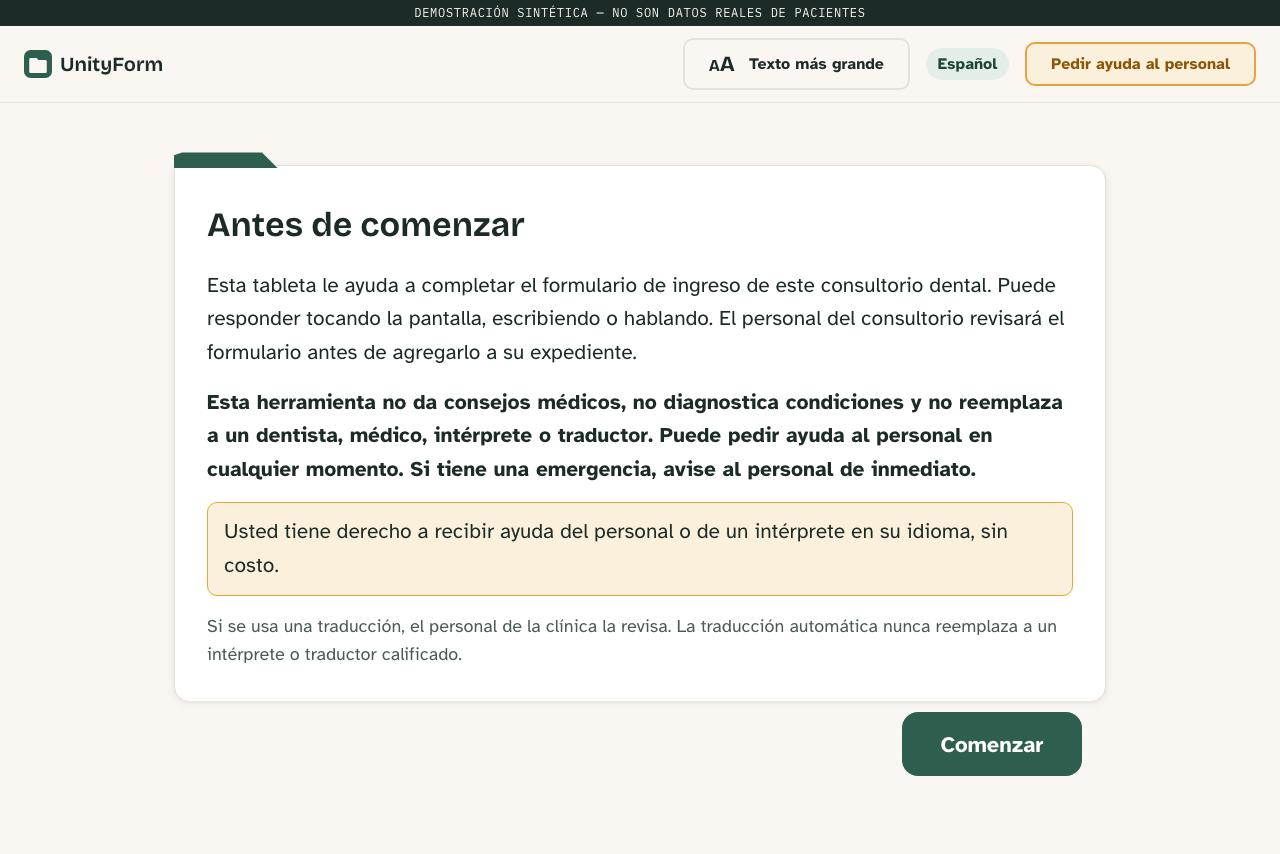
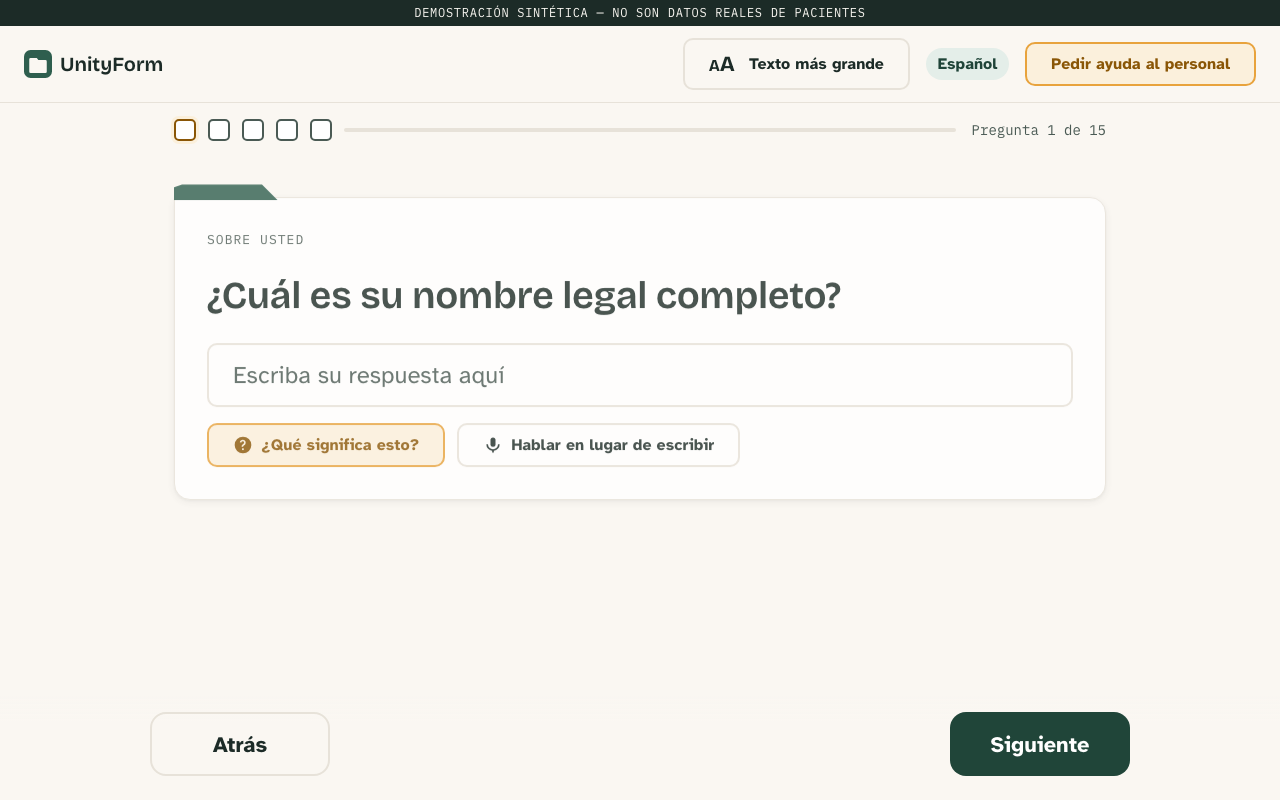
They tap their language on the first screen and answer one clear question at a time. Every question carries a plain-words explanation of what it means, and a help button calls your staff over.
-
The desk sees the answers arrive
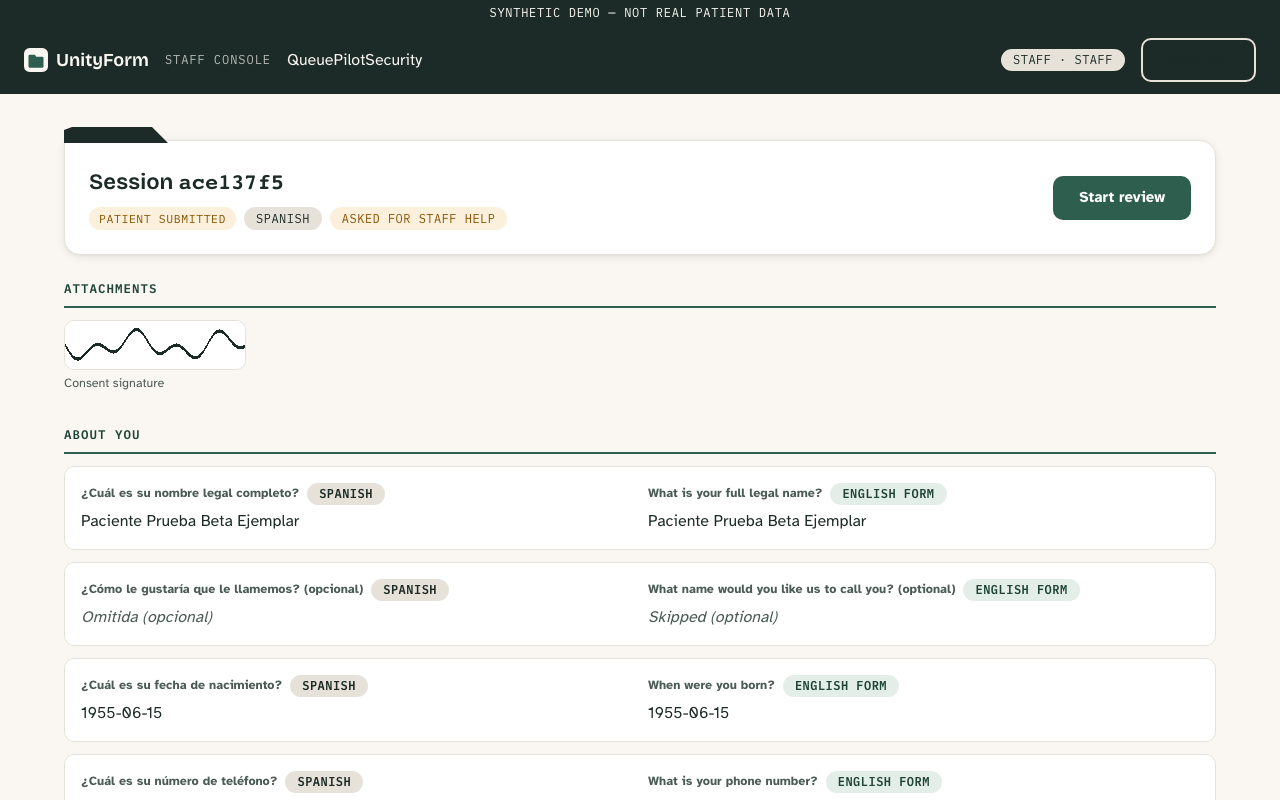
Answers show up typed and organized, with the patient's language and the English version side by side. Fix a detail and the change is recorded, so there is never a mystery about who edited what.
-
Your form comes out the other side
Print the completed intake as a PDF of your own form, save a copy in the patient's language, or export a file for your records. Walk through it screen by screen
Real screens, not mockups
Designed for both sides of the desk.
These pictures come straight from the running product. Every name and answer shown is made-up practice data.
Say it in their language
Patients answer best when they understand the question.
Twelve languages are built in. English and Spanish come fully translated today, and no translation reaches patients until a qualified human translator has reviewed it and signed off. You are never guessing what the tablet just asked.
Every question also carries a plain-words explanation of what is being asked and why, in the patient's language. Fewer blank stares, fewer wrong boxes, fewer forms handed back at the desk.
- English
- Spanish
- Mandarin
- Vietnamese
- Tagalog
- French
- Arabic
- Korean
- Japanese
- Hindi
- Urdu
- Thai
Even the lettering is deliberate: the tablets and this site use Atkinson Hyperlegible, a typeface designed to stay readable for older eyes. And a tablet never replaces your team. An ask-staff-for-help button sits on every screen, and no software here stands in for a qualified interpreter.
Where patient information lives
Intake runs on your clinic's computer.
UnityForm runs on a single small computer in your building. The tablets talk to that computer over your own office network. Optional AI helpers stay off by default; enabling them sends selected text or audio to the provider your clinic approves.
- Works through outages
- Check-in does not depend on the internet, so a dropped connection does not stop your waiting room.
- Screens lock themselves
- A tablet abandoned mid-check-in warns after two quiet minutes and clears itself at three. Front-desk screens warn at twenty minutes and sign out at twenty-five.
- Password guessing gets shut down
- Repeated failed sign-ins are blocked for a while, automatically.
- Encrypted backups
- Setup includes scheduling encrypted backups and testing a restore. The restore tool checks the backup's integrity before opening it.
- Every change leaves a record
- Sign-ins, corrections, and exports are written to a log, so you can always see who did what, and when.
- Staff starts the review
- A patient's answers become available to export after someone on your team opens the review. Final approval is a separate step.
- AI stays off
- Optional AI helpers ship switched off, and they stay off unless a clinic deliberately turns them on. There is an off switch either way.
Getting started
One clinic computer, paired tablets, a practice run.
Setup covers your clinic computer, forms, tablet pairing, and a practice check-in. Allow time to check translations, backups, and your clinic's operating requirements.
-
Set up the clinic computer
Set up one small computer in your building, enable disk encryption, schedule backups, and verify that a backup can be restored.
-
Upload the forms you already use
Bring the PDF forms your desk hands out today. Choose where each answer belongs, preview a filled-in practice copy, and approve it before it goes live. The files you upload are never altered, and every revision of a form is kept, so you can change questions later without losing history. Four starter forms are included if you want a head start: dental, eye clinic, general medical, and a HIPAA acknowledgment.
-
Pair each tablet with a short code
Open the tablet, type in a code from the settings screen, done. A lost or stolen tablet can be cut off from the desk in seconds.
-
Do one practice run
Walk a made-up patient through check-in, watch the answers land at the desk, and print the finished form. If your team is comfortable, you are ready.
Where UnityForm is today
Being careful is not the same as being certified.
Built to earn HIPAA trust from day one. Not certified yet.
UnityForm was designed so patient information stays in the clinic: one computer in your building and AI features switched off unless a clinic deliberately opts in. That design is real, but it is not a certification. UnityForm is not HIPAA compliant or certified today. It is in pilot and runs on made-up practice records only, until the safety checks for a real clinic are complete.
UnityForm is front-office software. It asks your questions and organizes the answers. It does not diagnose, screen, or triage patients, it does not recommend treatment, and it never replaces a clinician, a qualified interpreter, or a qualified translator.
Questions clinic teams ask
Before you book a demo.
What does UnityForm do?
UnityForm puts your clinic's own intake questions on a tablet. Patients answer one question at a time in the language they know best, and your front desk gets clear, typed answers to review.
Where do patient answers go?
Intake records stay on your clinic's computer by default. The tablets use your office network. If you enable optional AI helpers, selected text or audio goes to the approved provider through that computer.
Is UnityForm HIPAA compliant?
No. UnityForm is not HIPAA compliant or certified today. It is in pilot and runs on made-up practice records only, so no real patient information is involved.
Which languages does it support?
Twelve are built in: English, Spanish, Mandarin, Vietnamese, Tagalog, French, Arabic, Korean, Japanese, Hindi, Urdu, and Thai. English and Spanish are fully translated today, and no translation reaches patients until a qualified human translator signs off on it.
Do we have to change our forms?
No. You upload the forms your clinic already uses, choose where each answer belongs, and approve a preview before anything goes live. Ready-made starter forms are included if you would rather begin from one.
Does it replace our staff or an interpreter?
No. Every tablet screen has a help button that calls your staff over, and UnityForm never diagnoses, triages, or recommends treatment. It does not replace a clinician, a qualified interpreter, or a qualified translator.
What does UnityForm cost?
There is no price list yet. UnityForm is in pilot: demos are free and pilot terms are worked out clinic by clinic. Public pricing comes before anyone is asked to pay.
How do I get support?
Email contact@unityform.app and a person answers. There is no ticket queue. Pilot clinics talk directly with the developer building UnityForm.
See it with your own forms